

⚡ Quick Summary
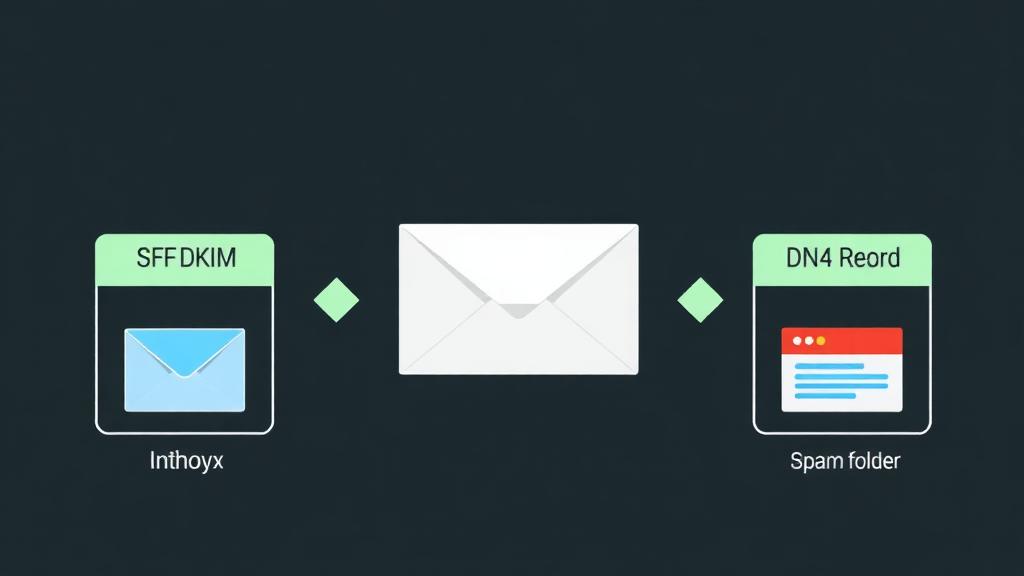
The 3 essential DNS records: SPF (who can send), DKIM (email is unaltered), DMARC (what to do with failures). All three are required for reliable delivery in 2026.
Biggest mistake: Using your hosting provider's built-in email on a shared IP. Shared IPs inherit the spam reputation of every other user on the server.
Best fix: Route email through a dedicated SMTP provider (Postmark for transactional, SendGrid for marketing) and properly configure SPF + DKIM + DMARC.
Why Emails Land in Spam
Email providers like Gmail, Outlook, and Yahoo use hundreds of signals to decide whether your email reaches the inbox or the spam folder. The top factors:
Authentication Failures
Missing or misconfigured SPF, DKIM, or DMARC records. Gmail and Yahoo made these mandatory for bulk senders in Feb 2024. Without them, your emails are automatically flagged.
Poor IP Reputation
Your sending IP has been used for spam, either by you or (on shared hosting) by someone else on the same server. IP reputation is the single biggest deliverability factor.
Content Triggers
Spam trigger words ('FREE!!!', 'Act now', 'Guaranteed'), too many images with little text, URL shorteners, or missing unsubscribe links all trigger content-based filters.
Low Engagement
If recipients consistently don't open your emails, providers interpret this as unwanted mail and start routing to spam. Engagement is a self-reinforcing cycle.
SPF: Sender Policy Framework
SPF tells receiving mail servers which IP addresses and servers are authorized to send email on behalf of your domain. Without SPF, anyone can forge your domain in the "From" field.
How to Set Up SPF
Add a TXT record to your domain's DNS with the following format:
v=spf1 include:_spf.google.com include:sendgrid.net ~allv=spf1: Identifies this as an SPF record (required)
include:: Authorizes a third-party service to send on your behalf
~all: Soft fail for unauthorized senders (use -all for hard fail once you're confident)
Common mistake: Having multiple SPF records. You can only have one SPF TXT record per domain. If you use Google Workspace AND SendGrid, combine them into a single record: v=spf1 include:_spf.google.com include:sendgrid.net ~all
DKIM: DomainKeys Identified Mail
DKIM adds a digital signature to every email you send. The receiving server verifies this signature against a public key in your DNS, confirming the email wasn't modified in transit and truly came from your domain.
How to Set Up DKIM
Generate DKIM keys from your email provider (Google Workspace → Gmail → Authenticate email, or your SMTP provider's dashboard).
Add the provided TXT record to your DNS. It looks like: google._domainkey.yourdomain.com with a long value starting with v=DKIM1; k=rsa; p=MIIBIjAN...
Enable DKIM signing in your provider's dashboard. DNS record alone isn't enough, the provider must actively sign outgoing emails.
Verify by sending a test email to check-auth@verifier.port25.com: you'll receive a reply with DKIM pass/fail results.
Important: Each email service needs its own DKIM record. If you send through Google Workspace AND Postmark, you'll have two separate DKIM DNS entries (with different selectors like google._domainkey and pm._domainkey). Unlike SPF, multiple DKIM records are perfectly fine.
DMARC: Domain-Based Message Authentication
DMARC ties SPF and DKIM together and tells receiving servers what to do when authentication fails. It also gives you visibility through aggregate reports.
DMARC Setup (Progressive Approach)
Add a TXT record at _dmarc.yourdomain.com:
Phase 1: Monitor (Weeks 1-4)
v=DMARC1; p=none; rua=mailto:dmarc-reports@yourdomain.com; pct=100Collects reports without affecting delivery. Review reports to identify all legitimate sending sources.
Phase 2: Quarantine (Weeks 5-8)
v=DMARC1; p=quarantine; rua=mailto:dmarc-reports@yourdomain.com; pct=25Sends 25% of failing emails to spam. Gradually increase pct to 50, then 100 over weeks.
Phase 3: Reject (After 8+ Weeks)
v=DMARC1; p=reject; rua=mailto:dmarc-reports@yourdomain.com; pct=100Full protection. Unauthorized emails are rejected outright. This is the goal.
Don't skip the phases. Jumping straight to p=reject will block legitimate emails from services you forgot to authorize in SPF/DKIM. The monitoring phase reveals all your sending sources (CRM, helpdesk, marketing tools, transactional email).
How Hosting Affects Email Deliverability
| Hosting Type | Email Deliverability | Why |
|---|---|---|
| Shared Hosting | ⚠️ Poor (70-85%) | Shared IP with hundreds of users. One spammer ruins the IP reputation for everyone. No dedicated sending IP. |
| VPS / Dedicated | ✅ Good (85-95%) | Dedicated IP but you're responsible for reputation management. Needs proper rDNS (PTR record) setup. |
| Managed WordPress | ⚠️ Varies (75-90%) | Most block outbound email or severely limit it. Designed for hosting, not email sending. |
| Dedicated Email (Google/M365) | ✅ Excellent (95-99%) | Purpose-built email infrastructure with maintained IP reputation, authentication, and compliance. |
| SMTP Provider (Postmark/SG) | ✅ Best (97-99%+) | Dedicated sending infrastructure, maintained IP pools, automatic compliance, and deliverability monitoring. |
The bottom line: Separate your email infrastructure from your web hosting. Use your host for websites and a dedicated provider for email. This is the single most impactful change for deliverability.
IP Reputation & Blacklists
Your sending IP's reputation is the #1 factor in deliverability. Think of it like a credit score for email, built slowly, destroyed quickly.
Check Your IP Reputation
Google Postmaster Tools
See your domain/IP reputation specifically with Gmail. Shows spam rate, authentication results, and encryption.
MXToolbox Blacklist Check
Checks 100+ DNS blacklists simultaneously. If listed, provides links to delisting request forms.
Microsoft SNDS
Smart Network Data Services shows your IP reputation with Outlook/Hotmail/Live.com.
Talos Intelligence
Cisco's reputation center. Shows your IP's email reputation as Good, Neutral, or Poor.
If You're Blacklisted
Email Content Best Practices
| ❌ Avoid | ✅ Do Instead |
|---|---|
| ALL CAPS subject lines | Natural capitalization, personalized subjects |
| Excessive exclamation marks (!!!) | Clean, professional punctuation |
| Spam trigger words ('FREE', 'Act Now', 'Guaranteed') | Value-focused language without hype |
| Image-only emails (no text) | 60:40 text-to-image ratio minimum |
| URL shorteners (bit.ly, tinyurl) | Full, branded URLs (yourdomain.com/offer) |
| Missing unsubscribe link | Clear, one-click unsubscribe (legally required) |
| Purchased email lists | Organic opt-in lists with double confirmation |
| No-reply@domain.com | Real reply-to address that's monitored |
| Attachments in marketing emails | Links to hosted files instead |
Transactional vs Marketing Email
Mixing transactional and marketing email on the same sending infrastructure is one of the biggest deliverability mistakes. Here's why they must be separated:
| Factor | Transactional | Marketing |
|---|---|---|
| Examples | Password resets, order confirmations, invoices | Newsletters, promotions, announcements |
| Expected Open Rate | 80-95% | 15-30% |
| Spam Complaint Rate | < 0.01% | 0.1-0.5% |
| Delivery Speed | Must be instant (< 5 sec) | Minutes to hours acceptable |
| Sending IP | Dedicated, high-reputation | Shared or dedicated, variable reputation |
| Best Provider | Postmark, AWS SES | SendGrid, Mailchimp, ConvertKit |
Why separate? Marketing emails generate spam complaints, which lower IP reputation. If password reset emails share that IP, they'll start landing in spam too. Use separate IPs (or providers) for each stream.
Testing & Monitoring Tools
Mail-Tester.com
FreeSend a test email, get a 10-point score with specific fixes. Free (3 tests/day). The fastest way to diagnose issues.
GlockApps
From $59/moTests inbox placement across Gmail, Outlook, Yahoo, and more. Shows exactly which providers spam your email.
Google Postmaster Tools
FreeEssential for Gmail deliverability. Shows domain reputation, spam rate, authentication results. Free and mandatory.
MXToolbox
Free + ProDNS record validator, blacklist checker, SMTP diagnostics, and email header analyzer. The Swiss Army knife of email debugging.
DMARC Analyzer / Postmark DMARC
Free optionsParses DMARC aggregate reports into readable dashboards. Identifies unauthorized senders using your domain.
Litmus / Email on Acid
From $79/moEmail rendering testing across 90+ email clients. Ensures your HTML emails look correct everywhere.
Best SMTP Providers for Reliable Delivery
These providers maintain high-reputation IP pools, handle authentication automatically, and give you deliverability analytics:
✅ Pros
⚠️ Cons
The gold standard for transactional email. If password resets and order confirmations must reach the inbox, Postmark is unmatched.
✅ Pros
⚠️ Cons
Best balance of features and price. The free tier is perfect for startups, and it scales well to millions of emails.
✅ Pros
⚠️ Cons
Unbeatable pricing for developers comfortable with AWS. At 1M+ emails/month, nothing comes close on cost.
✅ Pros
⚠️ Cons
Best developer experience with powerful APIs, webhooks, and log searching. Great for SaaS products that need reliable email infrastructure.
Troubleshooting Checklist
If your emails are going to spam, work through this checklist in order:
SPF record exists and includes all sending services
→ Run dig TXT yourdomain.com or use MXToolbox SPF checker
DKIM is configured AND signing is enabled
→ Send test email, check headers for DKIM-Signature header
DMARC record exists (even p=none)
→ Check _dmarc.yourdomain.com TXT record
Sending IP is not blacklisted
→ MXToolbox Blacklist Check → fix cause → request delisting
rDNS (PTR record) matches sending hostname
→ Contact hosting provider to set reverse DNS for your IP
Email content passes spam filter tests
→ Send to mail-tester.com and fix flagged issues
Unsubscribe link is present and working
→ Required by CAN-SPAM, GDPR, and Gmail/Yahoo since 2024
Sending volume is consistent (no sudden spikes)
→ Warm up new IPs gradually: 50 → 100 → 500 → 1K/day
Bounce rate is under 2%
→ Clean your list: remove invalid addresses, implement double opt-in
Spam complaint rate is under 0.1%
→ Make unsubscribe easy. If above 0.3%, Gmail will block you
Frequently Asked Questions
Why are my emails going to spam even with SPF and DKIM set up?
Should I use my hosting provider's email or a separate email service?
How long does it take for SPF, DKIM, and DMARC to start working?
What's a good email deliverability rate?
Can I fix email deliverability on shared hosting?
How do I check if my domain or IP is blacklisted?
Need Hosting With Better Email Deliverability?
Find hosting providers with dedicated IPs, proper rDNS, and easy DNS management for SPF/DKIM/DMARC setup.
Find Your Hosting