

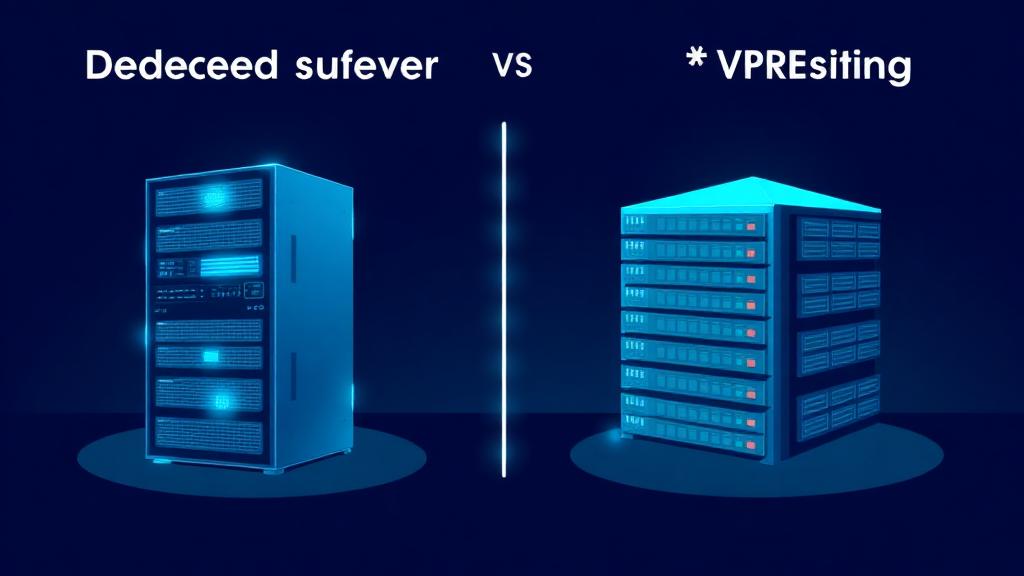
⚡ Quick Verdict
Choose VPS if: You need scalable resources at an affordable price, your site gets under 500K monthly visitors, or you want the flexibility to scale up/down quickly.
Choose Dedicated if: You need guaranteed performance with zero resource sharing, handle sensitive data requiring physical isolation, or process 1M+ monthly visitors with sustained high loads.
💰 VPS: $5–150/mo | Dedicated: $80–500+/mo
Dedicated vs VPS: Quick Overview
Both dedicated servers and VPS (Virtual Private Server) hosting give you root-level access and dedicated resources—but they differ fundamentally in how those resources are allocated. Understanding this difference is the key to making the right choice.
| Feature | VPS Hosting | Dedicated Server |
|---|---|---|
| Hardware | Shared physical server (isolated partitions) | Entire physical server |
| Starting Price | $5–20/mo | $80–150/mo |
| Performance | Good–Excellent | Excellent–Maximum |
| Scalability | Instant scale up/down | Hardware upgrade required |
| Security Isolation | Virtual isolation (hypervisor) | Complete physical isolation |
| Root Access | ✅ Full root | ✅ Full root + BIOS |
| Setup Time | Minutes | Hours to days |
| Best For | Growing businesses, SaaS, dev teams | Enterprise, compliance, high-traffic |
What Is VPS Hosting?
A Virtual Private Server (VPS) is a virtualized server environment created by partitioning a single physical server into multiple isolated instances using a hypervisor (KVM, Xen, or VMware). Each VPS gets its own dedicated CPU cores, RAM, storage, and operating system.
Think of it like an apartment building: you have your own private space with your own lock, but you share the building's infrastructure (electricity, plumbing, structure) with other tenants.
Cost-Effective
Get dedicated resources at a fraction of bare-metal pricing. Start at $5/mo and scale as needed.
Instant Provisioning
Spin up a new VPS in under 60 seconds. No waiting for hardware procurement or rack setup.
Easy Scaling
Add CPU, RAM, or storage with a few clicks. Most providers allow live scaling without downtime.
Full Root Access
Install any software, configure any service. You have complete control over your operating system.
What Is a Dedicated Server?
A dedicated server (also called bare metal) is an entire physical machine exclusively reserved for your use. No virtualization layer, no shared resources, no other tenants. You get direct access to the hardware—every CPU core, every gigabyte of RAM, every IOPS of disk throughput.
Think of it like owning a house: you control everything from the foundation to the roof, customize freely, and never worry about neighbors.
Maximum Performance
No hypervisor overhead, no resource contention. 100% of hardware power goes to your workloads.
Physical Isolation
Complete hardware-level security. No shared memory, no side-channel attack vectors from co-tenants.
Hardware Customization
Choose specific CPUs, RAM configurations, storage types (NVMe/SSD/HDD), and RAID setups.
Predictable Performance
Zero 'noisy neighbor' issues. Performance is consistent 24/7/365, regardless of other users.
Performance Comparison: Benchmarks
We benchmarked comparable VPS and dedicated configurations to show real-world performance differences. The results reveal when the dedicated premium is worth paying—and when it isn't.
| Benchmark | VPS (8 vCPU, 32GB) | Dedicated (8-core, 32GB) | Difference |
|---|---|---|---|
| Geekbench 6 (Single) | 1,450 | 1,820 | +25% |
| Geekbench 6 (Multi) | 7,200 | 9,800 | +36% |
| NVMe Seq. Read (MB/s) | 2,800 | 3,500 | +25% |
| NVMe Seq. Write (MB/s) | 1,900 | 2,800 | +47% |
| MySQL Queries/sec | 12,500 | 18,200 | +46% |
| Nginx req/sec (static) | 45,000 | 68,000 | +51% |
| WordPress TTFB (ms) | 85 | 52 | -39% |
| Under Load (100 users) | 142ms avg | 68ms avg | -52% |
Key Takeaway: Dedicated servers show 25–50% better performance across most benchmarks, but the gap is most dramatic under sustained load. For low-to-moderate traffic, the difference is barely noticeable to end users. The performance gap justifies the cost only when consistent sub-100ms response times are critical.
Security & Isolation
Security is where dedicated servers have a clear architectural advantage—but modern VPS hypervisors have closed the gap significantly.
Physical Isolation (Dedicated ✅)
No shared hardware means zero risk of side-channel attacks (Spectre, Meltdown). Your data exists on hardware no one else touches. Required for PCI DSS Level 1, HIPAA, and some SOC 2 compliance.
Hypervisor Isolation (VPS ✅)
Modern KVM/Xen hypervisors provide strong isolation between VPS instances. Security patches address known vulnerabilities. Sufficient for PCI DSS Level 2-4, SOC 2 Type II, and most GDPR requirements.
DDoS Protection (Both ✅)
Both VPS and dedicated providers offer DDoS mitigation. Some dedicated providers (OVH, Hetzner) include hardware-level DDoS filtering. VPS providers typically use network-level protection through Cloudflare or similar.
Firewall Control (Both ✅)
Both give you full iptables/nftables control. Dedicated servers allow hardware firewall appliances. VPS providers offer cloud firewalls with API-driven rule management.
Scalability & Flexibility
This is where VPS hosting decisively wins. Cloud-based VPS platforms offer elastic scaling that dedicated servers simply cannot match.
VPSScaling
DedicatedScaling
Pricing Breakdown: Real Costs
The sticker price doesn't tell the full story. Here's what you'll actually pay when you factor in management, support, and hidden costs.
| Configuration | VPS | Dedicated |
|---|---|---|
| Entry (2 CPU, 4GB RAM) | $10–24/mo | N/A |
| Mid (4 CPU, 16GB RAM) | $24–60/mo | $80–120/mo |
| High (8 CPU, 32GB RAM) | $50–150/mo | $120–200/mo |
| Enterprise (16+ CPU, 64GB+) | $150–400/mo | $200–500+/mo |
| Managed add-on | +$20–50/mo | +$50–150/mo |
| DDoS Protection | Usually included | $5–50/mo or included |
| Backups | $2–10/mo | $10–30/mo |
| Control Panel (cPanel) | $15/mo | $45/mo |
Management & Control
Both options give you root/admin access, but the management experience differs significantly. VPS platforms typically offer modern cloud dashboards with API access, while dedicated servers often rely on traditional tools.
| Management Feature | VPS | Dedicated |
|---|---|---|
| Cloud Dashboard | ✅ Modern UI + API | ⚠️ Basic panel or IPMI |
| One-Click OS Reinstall | ✅ Seconds | ⚠️ 15-60 min |
| Snapshots/Backups | ✅ Instant snapshots | ⚠️ Manual or add-on |
| API/Terraform | ✅ Full API support | ⚠️ Limited |
| Monitoring | ✅ Built-in metrics | ⚠️ Self-managed |
| BIOS/Hardware Access | ❌ Virtualized | ✅ IPMI/iDRAC/iLO |
| Custom Hardware | ❌ Provider's hardware | ✅ Choose components |
When to Choose VPS Hosting
VPS is the right choice for the majority of businesses. Unless you have specific compliance or performance requirements, a VPS will serve you better at a lower cost.
When to Choose a Dedicated Server
Dedicated servers make sense when you've outgrown VPS limits or have specific compliance requirements that demand physical isolation.
Top Providers Compared
Here are our top picks for both VPS and dedicated hosting, based on our real-world testing and benchmarks.
🏆 Best VPS Providers
Unbeatable price-to-performance. AMD EPYC CPUs, NVMe SSD, 20TB bandwidth. EU and US data centers. API-first with Terraform support.
Developer-friendly with excellent docs, managed databases, app platform, and 1-click marketplace. Great for SaaS and web apps.
32 global locations, bare metal cloud, high-frequency compute. Excellent for latency-sensitive applications.
🖥️ Best Dedicated Server Providers
Enterprise hardware at budget prices. Custom configurations, hardware RAID, free DDoS protection. Auctions offer incredible deals on refurbished servers.
Massive range of configurations. Eco, Rise, Scale, and High Grade lines. Anti-DDoS included. Data centers in EU, NA, and APAC.
Fully managed with proactive monitoring. 100% uptime SLA. Ideal for businesses that need hands-off server management with enterprise support.
How to Migrate Between VPS and Dedicated
Whether you're upgrading from VPS to dedicated or downsizing the other direction, follow this proven migration process:
Audit Current Setup
Document all services, configs, cron jobs, SSL certificates, DNS records, and database sizes. Use 'dpkg --get-selections' (Debian) or 'rpm -qa' (RHEL) to list installed packages.
Provision New Server
Set up the target server with matching OS version and software stack. Install all required packages and configure services before migrating data.
Sync Data
Use rsync for files, mysqldump/pg_dump for databases. For large datasets, consider an initial full sync + incremental sync closer to the cutover.
Test Everything
Update your local hosts file to point to the new server IP and test all sites/apps. Run load tests to verify performance meets expectations.
DNS Cutover
Lower TTL to 300s 24 hours before migration. Update DNS records. Keep the old server running for 48 hours to handle cached DNS requests.
Monitor & Verify
Watch error logs, performance metrics, and uptime monitors for 72 hours post-migration. Verify SSL certificates are serving correctly.
Frequently Asked Questions
Is a dedicated server faster than a VPS?
How much does a dedicated server cost vs VPS?
Can I upgrade from VPS to dedicated server without downtime?
Do I need a dedicated server for my e-commerce store?
What is the difference between managed and unmanaged dedicated servers?
Still Not Sure Which to Choose?
Use our hosting finder tool to get a personalized recommendation based on your traffic, budget, and technical requirements.
Find Your Ideal Host