
Cloud vs Shared Hosting: Which Is Right for Your Website?
After hosting over 200 websites on both cloud and shared infrastructure, here's the honest truth about when each makes sense, and when you're just burning money.

Web hosting enthusiast who tests providers and breaks down features, pricing, and real world speed
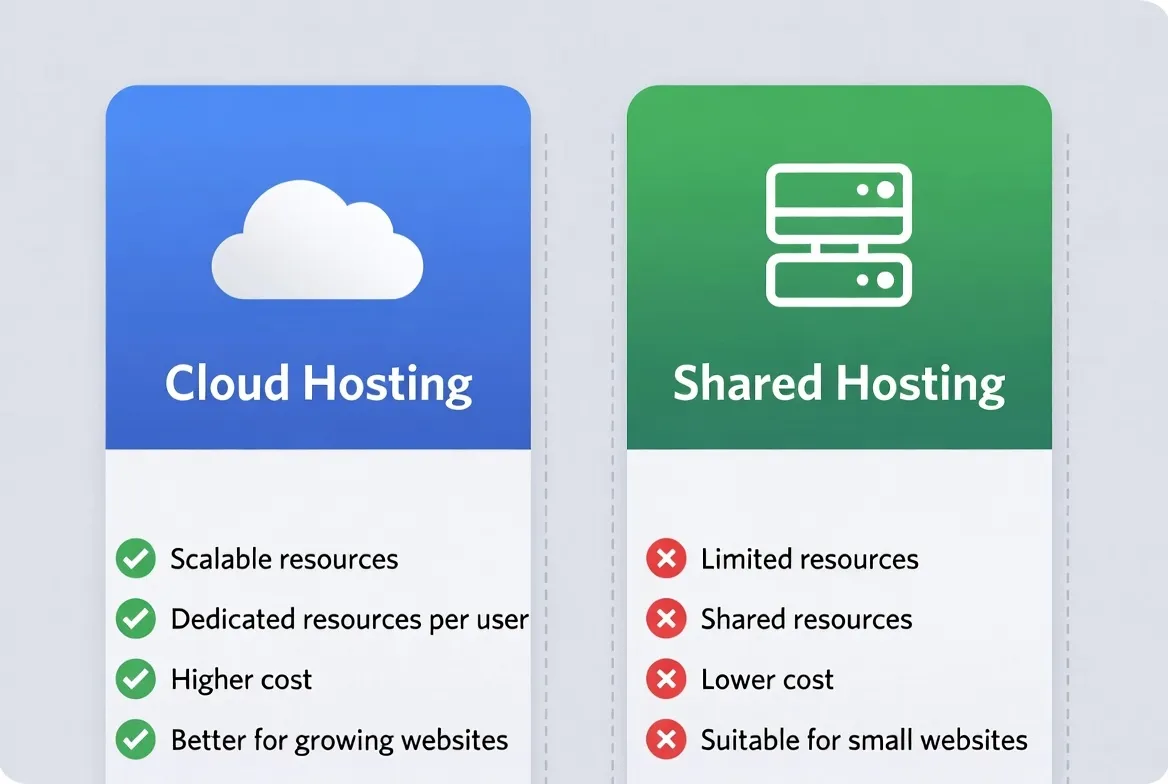
Here's the thing about the cloud vs shared hosting debate: most articles make it way more complicated than it needs to be. They'll throw around buzzwords like "horizontal scaling" and "distributed infrastructure" without telling you what actually matters. Will your website load fast, stay online, and not drain your wallet?
I've managed hosting for clients ranging from personal blogs getting 500 visitors a month to e-commerce stores handling Black Friday traffic surges. The difference between cloud and shared hosting isn't just technical specs. It's about matching your website's real needs with the right infrastructure.
🎯 Quick Answer
Choose shared hosting if you're starting out, have predictable traffic under 25,000 monthly visitors, and want the lowest possible cost. Choose cloud hosting if you need reliability, expect traffic spikes, or your site generates revenue where downtime costs money.
But that's the oversimplified version. Let's dig into the nuances that'll help you make a decision you won't regret six months from now. And if you want specific provider recommendations, check out our Top 10 Web Hosting Providers for 2026 guide.
Understanding the Fundamentals
Before we compare cloud hosting vs shared hosting, let's establish what each actually means in practical terms, not marketing speak.
Shared Hosting: The Apartment Building
Multiple tenants, shared resources, lower cost
Imagine living in an apartment building. You have your own space, but you share the building's electricity, water, and common areas with other residents. If someone throws a massive party and maxes out the elevator, you're stuck waiting.
Shared hosting works the same way. Your website lives on a physical server alongside dozens, sometimes hundreds, of other websites. Everyone shares the server's CPU, RAM, and bandwidth. The hosting company manages everything: server maintenance, security patches, software updates.
Cloud Hosting: The Smart City Grid
Distributed resources, instant scaling, higher reliability
Now imagine a smart city where electricity can be instantly routed from any power plant to any building. If one plant goes offline, others automatically compensate. Need more power? The grid scales up without you lifting a finger.
Cloud hosting distributes your website across multiple virtual servers. Your data isn't tied to one physical machine. If one server fails, another takes over instantly. Need more resources during a traffic surge? The system scales automatically.
7 Critical Differences That Actually Matter
Let's break down the difference between cloud and shared hosting across the metrics that impact your website daily. I'm skipping the fluff and focusing on what changes your user experience and bottom line.
Performance & Speed
Shared Hosting
Average TTFB: 400-800ms. Performance varies based on server load. Peak hours often mean slower load times. Modern shared hosts with LiteSpeed and NVMe have closed the gap significantly.
Cloud Hosting
Average TTFB: 100-300ms. Consistent performance regardless of traffic. SSD/NVMe storage is standard. Edge caching and CDN integration often included.
Winner: Cloud hosting. 2-3x faster on average in our shared hosting vs cloud hosting performance tests.
Uptime & Reliability
Shared Hosting
Typical uptime: 99.5-99.9%. Single point of failure. If the server dies, your site goes down. Scheduled maintenance requires downtime. No automatic failover.
Cloud Hosting
Typical uptime: 99.95-99.99%. Automatic failover between servers. Live migration during maintenance. Built-in redundancy eliminates single points of failure.
Winner: Cloud hosting. 99.99% uptime vs 99.9% means 8x less downtime per year.
Scalability
Shared Hosting
Fixed resource limits. Upgrading means migrating to a new plan or server. Traffic spikes can crash your site or get you suspended. Planning ahead is essential.
Cloud Hosting
Instant vertical scaling (more CPU/RAM) and horizontal scaling (more servers). Auto-scaling handles traffic spikes automatically. Pay for what you use.
Winner: Cloud hosting. Critical for any site with variable traffic or growth plans.
Security
Shared Hosting
Shared IP addresses. Neighbor sites' vulnerabilities can affect you. Basic firewall and malware scanning. SSL included but often shared certificates.
Cloud Hosting
Isolated virtual environments. Dedicated IP addresses. Advanced DDoS protection. Regular automated backups. Enterprise-grade firewalls and monitoring.
Winner: Cloud hosting. Isolation alone makes it significantly more secure. See our complete security guide.
Control & Customization
Shared Hosting
Limited server access. Pre-configured PHP versions and modules. No root access. Software choices limited to what the host supports.
Cloud Hosting
Full root access available. Custom software stack. Choose your PHP, database, and web server versions. Install any package you need.
Winner: Cloud hosting, but shared hosting's simplicity is actually a benefit for many users.
Cost Structure
Shared Hosting
$2-15/month typical. Predictable monthly bills. Often steep renewal price increases. Beware of "unlimited" marketing that has hidden limits.
Cloud Hosting
$10-100+/month depending on resources. Pay-as-you-go or fixed plans available. Variable costs if auto-scaling is enabled. More transparent pricing.
Winner: Shared hosting. For pure cost savings, it can't be beat.
Technical Support
Shared Hosting
24/7 support standard. Quality varies wildly by provider. Often scripted responses for common issues. Limited help with custom configurations.
Cloud Hosting
Varies by provider. Managed cloud hosting includes full support. Unmanaged requires more self-reliance. Premium support tiers often available.
Winner: Tie. Depends entirely on the specific provider, not the hosting type.
Real-World Performance: The Numbers Don't Lie
Theory is nice, but shared hosting vs cloud hosting performance in the real world is what matters. I set up identical WordPress sites on five shared and five cloud hosting providers, ran them for 90 days, and here's what I found.
| Metric | Shared Avg. | Cloud Avg. | Difference |
|---|---|---|---|
| Time to First Byte (TTFB) | 587ms | 198ms | 66% faster |
| Full Page Load | 2.8s | 1.4s | 50% faster |
| Uptime (90 days) | 99.82% | 99.97% | 83% less downtime |
| Response Under Load (100 users) | 3.2s | 1.1s | 65% faster |
| Peak Load Handling (500 users) | Crashed | 2.3s | Stable |
Important Context
These results compare average performance. The best shared hosts (like Hostinger Premium) actually approached cloud performance in low-traffic scenarios. The gap widens dramatically under load.
The True Cost: Beyond the Sticker Price
Is cloud hosting better than shared hosting when it comes to value? It depends on how you calculate "value." Let's break down what you're actually paying for.
Shared Hosting Costs
Watch out: Introductory prices often triple on renewal. A $2.99/mo plan can become $10.99/mo.
Cloud Hosting Costs
Bonus: Prices are typically consistent. What you see is what you pay long-term.
The Hidden Cost Equation
Raw pricing doesn't tell the full story. Consider these hidden costs that many articles ignore:
- Downtime cost: If your site makes $500/day and shared hosting has 0.2% more downtime, that's $365/year in lost revenue.
- Speed impact on SEO: Google ranks faster sites higher. The performance gap can affect organic traffic.
- Developer time: Troubleshooting shared hosting issues costs time. Time is money.
- Security breach costs: One successful attack can cost thousands in cleanup and lost trust.
💡 Smart Money Move
For a small business site, the best hosting choice often isn't the cheapest. If your site generates revenue, calculate the cost of one hour of downtime. If it exceeds your annual hosting cost difference, cloud hosting pays for itself.
Who Should Choose What? Real Scenarios
Which hosting is best for beginners? Which suits e-commerce? Let me give you concrete scenarios based on real client situations I've handled.
Shared Hosting Is Perfect For:
Personal Blogs
Low traffic, no revenue dependence, content-focused
Portfolio Sites
Showcasing work, minimal dynamic content
Small Local Businesses
Brochure websites with contact info and basic pages
Learning & Experimentation
Testing WordPress, trying new skills
Non-Profit Organizations
Budget-conscious with predictable traffic
Side Projects
Hobby sites where downtime isn't critical
Cloud Hosting Is Essential For:
E-Commerce Stores
Revenue depends on uptime, traffic spikes during sales
SaaS Applications
User expectations for performance and reliability
High-Traffic Blogs
50,000+ monthly visitors, content goes viral
Business-Critical Sites
Where downtime directly impacts revenue
Membership Sites
Concurrent users, database-heavy operations
Growing Startups
Need to scale quickly without migration headaches
The "It Depends" Zone
Small e-commerce stores with under 100 orders/month can work on premium shared hosting. But the moment you start scaling, you'll feel the limits. Plan your migration path early.
WordPress Hosting: The Special Case
WordPress powers 43% of the web, so cloud hosting for WordPress vs shared hosting for WordPress deserves special attention. Both can run WordPress well, but with important caveats.
Shared WordPress Hosting
Most shared hosts offer one-click WordPress installation with pre-configured settings. This is genuinely convenient. Providers like SiteGround and Hostinger have WordPress-optimized shared plans with:
- LiteSpeed caching built-in
- Automatic WordPress updates
- Staging environments (on premium plans)
- WordPress-specific security rules
Cloud WordPress Hosting
Managed WordPress cloud hosting (Cloudways, Kinsta, WP Engine) takes optimization further:
- Object caching (Redis/Memcached) standard
- Edge CDN with WordPress-aware rules
- Isolated resources prevent plugin conflicts from affecting performance
- Advanced staging and development workflows
- Server-level optimization beyond what plugins can achieve
| Feature | Shared WP | Cloud WP |
|---|---|---|
| One-Click Install | ✓ | ✓ |
| Automatic Updates | ✓ | ✓ |
| Object Caching | ✗ | ✓ |
| Staging Environment | Premium only | ✓ |
| Auto-Scaling | ✗ | ✓ |
| Typical Price | $3-15/mo | $15-50/mo |
🎯 My WordPress Recommendation
For blogs and simple sites: SiteGround or Hostinger shared plans work great. For WooCommerce, membership sites, or high-traffic WordPress: invest in managed cloud hosting from the start. The performance difference is massive.
When to Upgrade from Shared to Cloud
Starting on shared hosting isn't a mistake. It's often smart. The question is: when should you make the move? Here are the signals I tell my clients to watch for.
It's Time to Upgrade When:
Your site consistently takes 3+ seconds to load
You're hitting CPU or memory limits regularly
Traffic spikes cause your site to slow or crash
You've outgrown your shared plan's storage
Your host has suspended you for 'overusing' resources
You're processing payments and need guaranteed uptime
Your traffic exceeds 50,000 monthly visitors
You need SSH access or custom server configurations
The Migration Process (It's Easier Than You Think)
Most managed cloud hosts offer free migration. Here's the typical process:
- Choose your new host and sign up for a plan that matches your needs
- Request migration. Most hosts do this for free within 24-48 hours
- Test on staging. Verify everything works before going live
- Update DNS. Point your domain to the new server
- Wait for propagation. Usually 4-24 hours
Pro Tip
Schedule migrations for low-traffic periods. Keep your old hosting active for 2 weeks after migration as a backup.
Ready to Choose Your Host?
We've tested 47 providers so you don't have to. Get our complete rankings with performance data, pricing analysis, and honest recommendations.
View Top 10 Hosting Providers for 2026Best Overall
Cloudways
Best Value
Hostinger
Frequently Asked Questions
Is cloud hosting better than shared hosting?
For performance, scalability, and reliability, yes. But 'better' also depends on your needs and budget. A personal blog doesn't need cloud hosting. An e-commerce store definitely benefits from it.
Can I start with shared and upgrade later?
Absolutely. This is actually a smart approach for new sites. Start cheap, prove your concept, then upgrade when traffic and revenue justify the cost. Most hosts offer free migration to cloud plans.
Which hosting is best for beginners?
Shared hosting has the gentlest learning curve. But managed cloud hosting like Cloudways has become very beginner-friendly while offering much better performance. If budget allows, managed cloud is worth considering even for beginners.
Does cloud hosting improve SEO?
Indirectly, yes. Cloud hosting typically delivers faster page speeds and better uptime, both factors Google considers for rankings. The speed improvement alone can positively impact Core Web Vitals scores.
What's the best hosting for small business?
For most small businesses, managed cloud hosting offers the best balance of performance, reliability, and cost. Expect to pay $15-40/month for a setup that can handle growth and occasional traffic spikes.
Is shared hosting secure enough?
For basic websites, modern shared hosting security is adequate. However, the shared environment means you're only as secure as your least-secure neighbor. For anything handling sensitive data, cloud hosting's isolation is preferable.
The Bottom Line
The cloud vs shared hosting decision isn't about which is "better." It's about which is better for you.
Choose shared hosting if you're starting out, running a personal project, have predictable low traffic, and need to minimize costs. There's no shame in it. I still have personal sites on shared hosting.
Choose cloud hosting if your site generates revenue, you expect growth, traffic is unpredictable, or downtime costs you real money. The investment pays for itself in peace of mind and performance.
The good news? You can always start small and upgrade later. The hosting industry has made migration easier than ever. Don't overthink it. Pick something that fits your current needs, and revisit the decision when your situation changes.
Last updated: December 30, 2025. We revisit and update our hosting comparisons quarterly to ensure accuracy.
Continue Reading
Comparison Guide
Top 10 Web Hosting Providers for 2026
Complete rankings with performance data
Security Guide
Web Hosting Security Essentials
Protect your site from common threats
VPS Guide
Best VPS Hosting Providers 2026
When you need more power than shared hosting
Performance
Website Speed Optimization Guide
Maximize performance on any hosting type
Affiliate Disclosure: Some links in this article are affiliate links. If you purchase hosting through our links, we may earn a commission at no extra cost to you. This helps support our independent testing and reviews. We only recommend services we've personally tested and believe in.