

⚡ DNS in 30 Seconds
What it does: Translates domain names (example.com) into IP addresses (93.184.216.34).
Key records: A (IPv4), AAAA (IPv6), CNAME (aliases), MX (email), TXT (verification/SPF/DKIM).
Resolution time: 10-50ms with a good DNS provider. Cached for hours-days via TTL.
Why it matters: Wrong DNS = site offline. Slow DNS = slow page loads. No SPF/DKIM = email lands in spam.
What Is DNS?
The Domain Name System (DNS) is a hierarchical, distributed naming system that maps human-friendly domain names to machine-readable IP addresses. Every time you type a URL into your browser, DNS is the first thing that happens, before a single byte of your website loads.
The Internet's Phone Book
DNS maps ~370 million registered domain names to their server IP addresses. Without it, you'd need to memorize numbers like 172.217.14.206 to visit Google.
Happens Every Page Load
Your browser performs a DNS lookup for every unique domain on a page, the site itself, CDN, analytics, fonts, ads. A typical page triggers 10-20 DNS queries.
A Security Layer
DNS can be exploited (spoofing, poisoning) or secured (DNSSEC, DoH). Proper DNS security prevents attackers from redirecting your visitors to fake sites.
How DNS Resolution Works
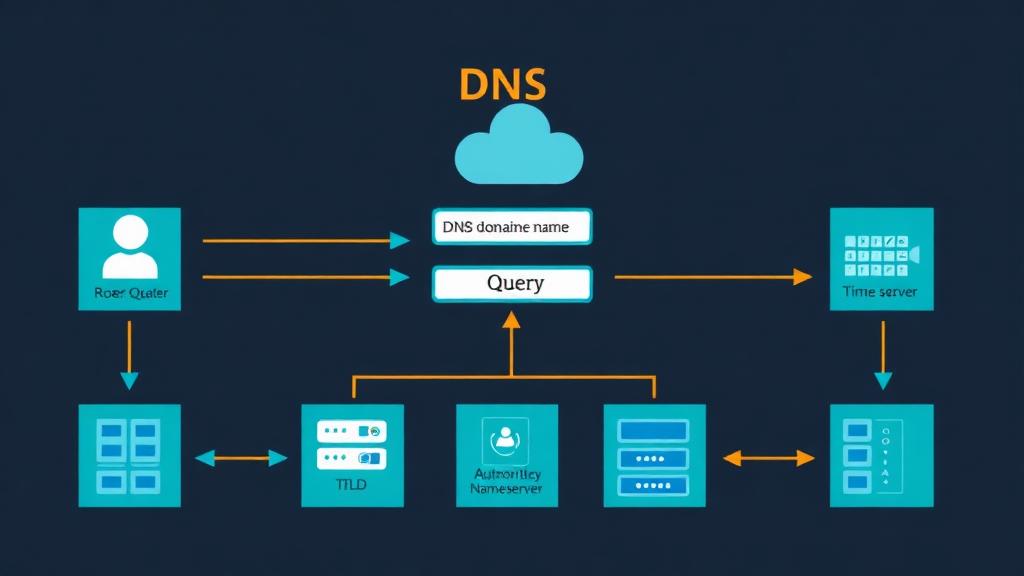
When you type example.com into your browser, a chain of lookups happens in milliseconds:
Browser Cache
Browser checks if it already knows the IP from a recent visit. If cached and TTL hasn't expired → done instantly.
OS Cache
If not in browser cache, the operating system's DNS resolver cache is checked (includes entries from the hosts file).
Recursive Resolver
Your ISP's DNS resolver (or a public one like Cloudflare 1.1.1.1) receives the query. It checks its own cache first.
Root Nameserver
If uncached, the resolver asks one of the 13 root nameserver clusters: 'Who handles .com?' The root server responds with the TLD server address.
TLD Nameserver
The .com TLD server responds: 'example.com is managed by ns1.dnsprovider.com.' It returns the authoritative nameserver address.
Authoritative Nameserver
The authoritative nameserver for example.com returns the actual A record: '93.184.216.34'. This is the definitive answer.
Response Cached & Returned
The IP is returned to your browser and cached at every level (resolver, OS, browser) according to the TTL value.
In practice: Steps 4-6 only happen on the first lookup. After that, the recursive resolver caches the result and serves it directly for hours or days (depending on TTL). Over 90% of DNS queries are served from cache.
DNS Record Types Explained
| Record | Purpose | Example Value | When to Use |
|---|---|---|---|
| A | Maps domain → IPv4 address | 93.184.216.34 | Point your domain to a web server |
| AAAA | Maps domain → IPv6 address | 2606:2800:220:1:248:1893:25c8:1946 | IPv6 support (add alongside A record) |
| CNAME | Alias one domain → another | www → example.com | Subdomains, CDN setup, SaaS platforms |
| MX | Mail server for the domain | 10 mail.example.com | Setting up email (Gmail, Exchange, etc.) |
| TXT | Text data (verification, policies) | v=spf1 include:_spf.google.com ~all | SPF, DKIM, DMARC, domain verification |
| NS | Authoritative nameservers | ns1.cloudflare.com | Delegating DNS to a provider |
| SRV | Service location (port + host) | _sip._tcp 5060 sip.example.com | VoIP, gaming, Microsoft 365 |
| CAA | Authorized certificate authorities | 0 issue "letsencrypt.org" | Restrict who can issue SSL certificates |
| ALIAS/ANAME | CNAME-like at zone apex | @ → cdn.example.com | Root domain pointing to CDN/load balancer |
| PTR | Reverse DNS (IP → domain) | 34.216.184.93.in-addr.arpa → example.com | Email deliverability, server identity |
Most Common Setup for a Website
; A records (point domain to server)
@       A       93.184.216.34
www     CNAME   example.com

; Email (Google Workspace)
@       MX  1   aspmx.l.google.com
@       MX  5   alt1.aspmx.l.google.com

; Email authentication
@       TXT     "v=spf1 include:_spf.google.com ~all"
google._domainkey  TXT  "v=DKIM1; k=rsa; p=MIGfMA0..."
_dmarc  TXT     "v=DMARC1; p=quarantine; rua=mailto:dmarc@example.com"

; SSL certificate authority restriction
@       CAA  0  issue "letsencrypt.org"
TTL (Time to Live)
TTL tells DNS resolvers how long to cache a record before checking for updates. It's measured in seconds and has a major impact on how quickly DNS changes take effect.
| TTL Value | Duration | Best For | Trade-off |
|---|---|---|---|
| 300 | 5 minutes | Pre-migration, failover records | More DNS queries, slightly slower |
| 3600 | 1 hour | General-purpose default | Good balance of speed and flexibility |
| 14400 | 4 hours | Stable records (MX, TXT) | Fewer queries, changes take hours |
| 86400 | 24 hours | Records that never change (NS) | Maximum caching, slowest propagation |
Migration tip: Lower your TTL to 300 seconds 24-48 hours before making DNS changes. This ensures old cached values expire quickly. After the change is confirmed, raise the TTL back to 3600-14400.
DNS Providers Compared
| Provider | Speed | Free Tier | DNSSEC | DDoS Protection | Best For |
|---|---|---|---|---|---|
| Cloudflare | ~11ms | ✅ Unlimited | ✅ 1-click | ✅ | Best overall (free + fast + secure) |
| AWS Route 53 | ~20ms | ❌ $0.50/zone/mo | ✅ | ✅ | AWS infrastructure, complex routing |
| Google Cloud DNS | ~22ms | ❌ $0.20/zone/mo | ✅ | ✅ | GCP integration, high reliability |
| Bunny DNS | ~15ms | ✅ with CDN | ✅ | ✅ | Affordable performance-focused DNS |
| NS1 (IBM) | ~18ms | ❌ Paid only | ✅ | ✅ | Enterprise traffic management |
| Registrar DNS | ~50-200ms | ✅ Included | ⚠️ Varies | ⚠️ Basic | Simple sites that don't need speed |
DNS Security (DNSSEC & DoH)
DNS was designed in 1983 without security in mind. Modern extensions add critical protections against attacks.
DNS Cache Poisoning
Attacker injects false DNS records into a resolver's cache, redirecting users to malicious sites. DNSSEC prevents this by cryptographically signing records.
DNS Spoofing
Man-in-the-middle intercepts DNS queries and returns fake IPs. DNS-over-HTTPS (DoH) and DNS-over-TLS (DoT) encrypt queries to prevent interception.
DDoS via DNS Amplification
Attackers use open DNS resolvers to amplify DDoS attacks by sending small queries that generate massive responses to a victim's IP.
Domain Hijacking
Attacker gains access to your DNS management and changes records. Mitigate with registrar lock, 2FA, and access controls on your DNS dashboard.
Enable DNSSEC on Cloudflare (1 Minute)
- Go to your domain in Cloudflare → DNS → Settings
- Click Enable DNSSEC
- Copy the DS record values provided by Cloudflare
- Add the DS record at your domain registrar (varies by registrar)
- Wait 24 hours for propagation, then verify with
dig +dnssec example.com
Common DNS Tasks
Point domain to hosting
Add an A record with @ (or your domain) pointing to your server's IP address. Add a CNAME for www pointing to your root domain. If using a platform like Vercel or Netlify, follow their specific CNAME/A record instructions.
@ A 185.199.108.153Set up Google Workspace email
Add MX records pointing to Google's mail servers with the correct priorities. Add SPF, DKIM, and DMARC TXT records for email authentication.
@ MX 1 aspmx.l.google.comVerify domain ownership
Services like Google, Microsoft, and Let's Encrypt ask you to add a TXT record to prove you own the domain. Add it, wait a few minutes, then verify.
@ TXT "google-site-verification=abc123..."Set up a subdomain
Add an A record or CNAME for the subdomain. For example, blog.example.com can point to a different server or service entirely.
blog CNAME myblog.wordpress.comMigrate to a new host
Lower TTL to 300 (24h before). Update A record to new server IP. Monitor both old and new servers during propagation. Raise TTL after confirming.
@ A [new-server-ip]DNS Propagation
DNS propagation is the time it takes for DNS changes to spread across all resolvers worldwide. It's not a single event, different resolvers update at different times based on their cached TTL values.
| Change Type | Typical Time | How to Speed Up |
|---|---|---|
| A/AAAA record change | 15 min: 4 hours | Lower TTL to 300 beforehand |
| Nameserver change | 24, 48 hours | Cannot speed up, registries cache NS records |
| New subdomain | 5, 30 minutes | Usually fast (no existing cache to expire) |
| MX record change | 1, 4 hours | Lower TTL; some MTAs ignore low TTLs |
| TXT record (SPF/DKIM) | 15 min: 2 hours | Lower TTL; verify with dig/nslookup |
Check propagation: Use whatsmydns.net to see how your DNS changes have propagated across resolvers worldwide in real time.
Troubleshooting DNS Issues
Site not loading after DNS change
Check propagation (whatsmydns.net). Flush local DNS cache: Windows: ipconfig /flushdns, Mac: sudo dscacheutil -flushcache. Wait for TTL to expire.
ERR_NAME_NOT_RESOLVED
Domain has no A/AAAA record, or nameservers are misconfigured. Verify with: dig example.com +trace. Check that nameservers at your registrar match your DNS provider.
'www' works but bare domain doesn't
You have a CNAME for www but no A record for @. Add an A record for the root domain, or use an ALIAS/ANAME record if your DNS provider supports it.
Email not being received
Check MX records with: dig example.com MX. Verify SPF, DKIM, and DMARC TXT records. Check MX priority numbers (lower = higher priority).
SSL certificate won't issue
Let's Encrypt needs to verify your domain via DNS or HTTP. Check CAA records aren't blocking your CA. For wildcard certificates, you need a DNS-01 challenge (TXT record).
DNS changes not showing up
Check you're editing DNS at the correct provider (follow the NS record chain). Your registrar's DNS panel may be inactive if you've pointed NS records elsewhere.
Essential DNS Debugging Commands
# Look up A record
dig example.com A +short

# Full resolution trace (shows every step)
dig example.com +trace

# Check specific nameserver
dig @8.8.8.8 example.com A

# Look up MX records
dig example.com MX +short

# Check TXT records (SPF, DKIM, DMARC)
dig example.com TXT +short
dig _dmarc.example.com TXT +short

# Reverse DNS lookup
dig -x 93.184.216.34

# Windows alternative (nslookup)
nslookup -type=A example.com 8.8.8.8
DNS & Website Performance
DNS lookup is the first step in loading any page. Optimizing DNS can save 50-200ms on every page load.
Speed Optimizations
- Use a fast DNS provider (Cloudflare: ~11ms global avg)
- Add dns-prefetch for third-party domains
- Minimize external domains per page (fewer DNS lookups)
- Preconnect to critical origins
- Use appropriate TTL values (higher = more caching)
DNS Prefetching Code
<!-- Add to <head> for third-party domains -->
<link rel="dns-prefetch" href="//fonts.googleapis.com">
<link rel="dns-prefetch" href="//cdn.example.com">
<link rel="dns-prefetch" href="//analytics.example.com">

<!-- Preconnect for critical resources -->
<link rel="preconnect" href="https://fonts.gstatic.com"
      crossorigin>
DNS Setup Checklist
Frequently Asked Questions
What does DNS stand for and what does it do?
How long does DNS propagation take?
What's the difference between A records and CNAME records?
Should I use my registrar's DNS or a third-party provider?
What is DNSSEC and do I need it?
Can DNS affect my website's speed?
Need Hosting with Managed DNS?
Many hosting providers include DNS management, free SSL, and email setup. Find the right hosting for your domain.
Find Your Hosting