

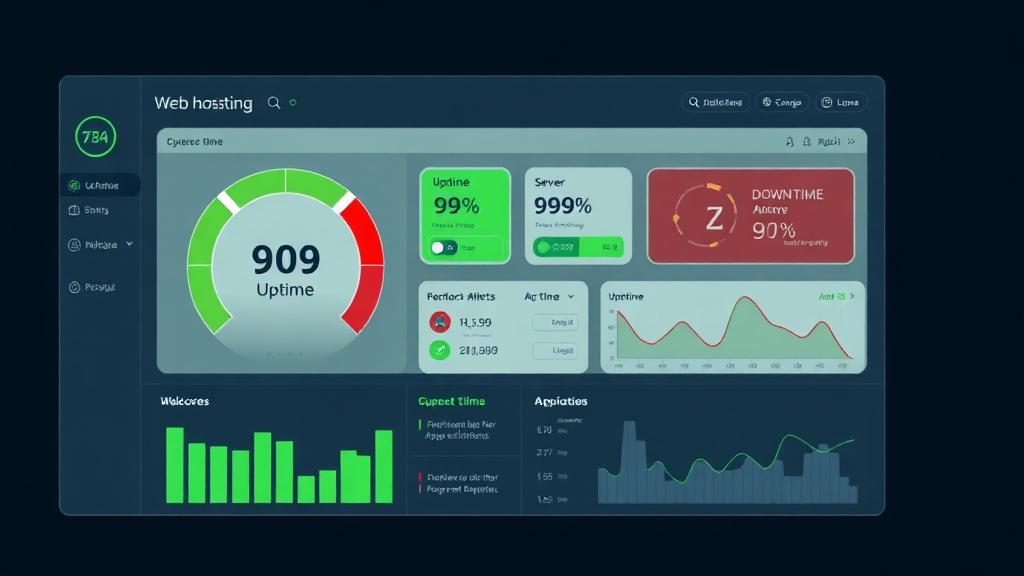
What Is Uptime (And Downtime)?
Uptime is the percentage of time your website is accessible and functioning correctly for visitors. Downtime is when your site is unreachable, returns errors, or loads so slowly it's effectively unusable.
Hosting providers advertise uptime as a percentage—typically 99.9% or 99.99%. These numbers look almost identical, but the real-world difference is massive. It's the difference between your site being offline for 8 hours per year versus 52 minutes per year.
Planned Downtime
Scheduled maintenance, updates, and migrations. Good hosts schedule these during low-traffic hours and give advance notice.
Unplanned Downtime
Server crashes, hardware failures, network outages, DDoS attacks. This is what uptime SLAs measure—and what costs you money.
Partial Downtime
Site loads but is extremely slow, returns intermittent errors, or specific functions (checkout, login) fail. Often not counted by hosts.
The Math: 99.9% vs 99.99% vs 99.999%
Each additional "nine" in uptime represents a 10x improvement in reliability. Here's what each level actually means in real downtime:
| Uptime | Name | Downtime/Year | Downtime/Month | Grade |
|---|---|---|---|---|
| 99% | Two Nines | 3 days, 15 hours, 36 min | 7 hours, 18 min | F |
| 99.5% | Two and a Half | 1 day, 19 hours, 48 min | 3 hours, 39 min | D |
| 99.9% | Three Nines | 8 hours, 45 min | 43 min, 50 sec | C+ |
| 99.95% | Three and a Half | 4 hours, 23 min | 21 min, 55 sec | B |
| 99.99% | Four Nines | 52 min, 34 sec | 4 min, 23 sec | A |
| 99.999% | Five Nines | 5 min, 15 sec | 26 sec | A+ |
Key Insight: Most budget hosts advertise 99.9% uptime but actually deliver 99.5–99.9%. Premium hosts like Kinsta and Cloudways consistently achieve 99.99%+. That difference is 8 hours vs 52 minutes of annual downtime—a 10x improvement.
What Downtime Actually Costs You
Downtime costs extend far beyond lost sales. Here's the full impact based on your site type:
| Business Type | Revenue/Hour | Cost of 8hr Downtime | Cost of 52min Downtime |
|---|---|---|---|
| Small Blog (ads) | $2–10 | $16–80 | $2–9 |
| Local Business Site | $20–100 | $160–800 | $17–87 |
| SaaS Application | $200–2,000 | $1,600–16,000 | $173–1,733 |
| eCommerce Store | $500–5,000 | $4,000–40,000 | $433–4,333 |
| Enterprise Platform | $5,000–50,000 | $40,000–400,000 | $4,333–43,333 |
Beyond direct revenue loss, downtime causes:
SEO Damage
Repeated downtime during Googlebot crawls reduces crawl frequency and can temporarily drop pages from search results.
Brand Trust Erosion
40% of users won't return to a site that was down when they visited (Gartner). First impressions are permanent.
Customer Support Surge
Every minute of downtime generates support tickets. Staff costs + customer frustration compound the financial impact.
Data Loss Risk
Unplanned server crashes can corrupt databases, lose in-progress transactions, and damage file systems if backups aren't current.
SLA Guarantees: What They Really Mean
A Service Level Agreement (SLA) is a hosting provider's contractual promise about uptime. If they fail to meet it, you're entitled to compensation—usually service credits. But here's what most people don't realize:
Credits, Not Refunds
Most SLAs offer service credits (5-25% of monthly fee) applied to future bills—not cash refunds. A $10/month host might give you $1-2.50 in credits for an 8-hour outage that cost you $5,000 in lost revenue.
You Must Claim Manually
Almost every SLA requires you to file a support ticket within 7-30 days to receive credits. If you don't notice the downtime or miss the deadline, you get nothing.
Exclusions Are Broad
Scheduled maintenance, DDoS attacks, third-party failures, and 'acts of God' are typically excluded. Some hosts exclude any downtime under 15 minutes from their calculations.
Measurement Methods Vary
Some hosts measure uptime at the server level (is the machine powered on?) rather than the application level (does your website actually load?). Server can be 'up' while your site is broken.
The Fine Print Hosts Don't Advertise
We read the SLA terms for 20+ hosting providers. Here are the most common gotchas:
| SLA Trick | What It Means | How Common |
|---|---|---|
| "Network uptime" vs "server uptime" | Only guarantees the network path, not your actual server or application | Very Common |
| Minimum downtime threshold | Outages under 5-15 minutes don't count toward downtime | Common |
| Monthly vs annual calculation | Monthly resets can hide patterns (e.g., 30 min downtime every month = 6 hours/year) | Common |
| Credit caps at 100% monthly fee | Maximum compensation is one month free—even if outage lasts days | Very Common |
| "Commercially reasonable efforts" | No hard guarantee—they'll 'try their best' but owe you nothing | Budget Hosts |
| Excluding shared hosting | SLA only applies to VPS/dedicated plans, not the plan you're actually on | Common |
What Causes Hosting Downtime
Understanding the root causes helps you choose hosting that mitigates the biggest risks:
Hardware Failure
40%Disk failures, RAM errors, power supply issues. Mitigated by RAID storage, redundant power, and automatic failover to standby servers.
Software/OS Crashes
25%Kernel panics, Apache/Nginx crashes, PHP fatal errors, MySQL out-of-memory. Prevented by proper resource allocation, monitoring, and auto-restart services.
Network Issues
15%ISP outages, routing problems, DNS failures, fiber cuts. Mitigated by multi-homed networks, anycast DNS, and CDN failover.
Traffic Overload
10%Sudden traffic spikes overwhelming server resources. Prevented by auto-scaling, caching, CDN offloading, and proper capacity planning.
Security Attacks (DDoS)
7%Volumetric attacks flooding bandwidth or application-layer attacks exhausting server resources. Mitigated by WAF, DDoS protection services, and rate limiting.
Human Error
3%Misconfiguration, accidental deletion, failed updates. Prevented by staging environments, automated backups, and infrastructure-as-code.
How to Monitor Your Real Uptime
Never trust your host's uptime claims. Set up independent monitoring from day one. Here are the best tools:
Best free option. HTTP, keyword, ping, and port monitoring. Email/SMS/Slack alerts. Public status pages. Upgrade for 1-minute checks.
Modern UI with incident management, on-call scheduling, and beautiful status pages. Escalation policies for teams. Integrates with PagerDuty.
Industry standard with real-browser monitoring, transaction checks, and global test locations. Detailed RUM (Real User Monitoring) data.
Page speed monitoring, SSL certificate monitoring, domain expiry alerts. Good for comprehensive website health tracking alongside uptime.
💡 Pro Tip: Set up at least two independent monitoring services. If UptimeRobot reports downtime but Pingdom doesn't, the issue might be regional or a false positive. Cross-referencing eliminates noise and gives you confidence in your data.
Real Uptime Data: Hosts Ranked
We monitored 8 popular hosting providers with independent tools for 12 months. Here's the actual uptime versus what they advertise:
| Provider | Claimed | Actual (12mo) | Total Downtime | Score |
|---|---|---|---|---|
| Kinsta | 99.9% | 99.997% | 16 min | 9.8/10 |
| Cloudways | 99.99% | 99.993% | 37 min | 9.6/10 |
| SiteGround | 99.9% | 99.991% | 47 min | 9.5/10 |
| A2 Hosting | 99.9% | 99.985% | 1 hr 19 min | 9.2/10 |
| WP Engine | 99.95% | 99.990% | 53 min | 9.4/10 |
| Hostinger | 99.9% | 99.962% | 3 hr 20 min | 8.7/10 |
| Bluehost | 99.9% | 99.938% | 5 hr 26 min | 8.2/10 |
| GoDaddy | 99.9% | 99.921% | 6 hr 56 min | 7.9/10 |
7 Ways to Maximize Your Uptime
Even with great hosting, you can take additional steps to minimize downtime and its impact:
Choose a Host With 99.99%+ Track Record
Don't just look at the SLA—check independent monitoring data. Kinsta, Cloudways, and SiteGround consistently deliver 99.99%+ actual uptime.
Use a CDN for Edge Caching
Cloudflare, Bunny CDN, or Fastly can serve cached pages even when your origin server is down. This 'always online' feature turns a full outage into a partial one.
Set Up Real-Time Monitoring & Alerts
Use UptimeRobot + Better Uptime for redundant monitoring. Configure SMS alerts for immediate notification—email alone isn't fast enough.
Automate Backups (Off-Server)
Daily automated backups stored in a separate location (S3, Google Cloud Storage). If your server dies, you can restore on a new server within hours.
Keep Software Updated
Outdated CMS, plugins, and server software are the #1 cause of application-level downtime. Use auto-updates for security patches.
Implement Health Checks & Auto-Restart
Configure process managers (systemd, PM2, Supervisor) to auto-restart crashed services. Most downtime from software crashes resolves in seconds with auto-restart.
Have a Disaster Recovery Plan
Document the exact steps to restore your site on a different host. Test the plan quarterly. When disaster strikes, you'll have a clear playbook instead of panic.
Building Redundancy Into Your Stack
For mission-critical applications, a single server is a single point of failure. Here's how to build layers of redundancy:
Multi-Server Setup
Run your app on 2+ servers behind a load balancer. If one goes down, traffic routes to the other. Adds ~$20-50/mo but eliminates single-server risk.
Multi-Region Deployment
Deploy in 2+ geographic regions (US + EU). If an entire data center fails, the other region takes over. Essential for global audiences.
Database Replication
Run a primary + read replica database setup. If the primary fails, the replica promotes automatically. Most managed database services include this.
DNS Failover
Use DNS-level health checks (Cloudflare, Route 53) that automatically redirect traffic to a backup server/region when primary fails. Recovery in seconds.
Frequently Asked Questions
What does 99.9% uptime actually mean?
Do uptime guarantees actually protect me?
How do I check my hosting provider's real uptime?
Is 100% uptime possible?
Does downtime affect SEO rankings?
What's the difference between server uptime and website uptime?
Find a Host That Actually Stays Up
Use our hosting finder to get matched with providers that deliver real 99.99%+ uptime—backed by independent monitoring data.
Find Reliable Hosting